> ## Documentation Index
> Fetch the complete documentation index at: https://docs.siflow.cn/llms.txt
> Use this file to discover all available pages before exploring further.
# AnythingLLM
> 了解如何在 AnythingLLM 中配置 Generic OpenAI provider,接入 siflow endpoint,并将算秩模型用于 workspace、文档对话、RAG 和 agent 工作流。
[AnythingLLM](https://github.com/Mintplex-Labs/anything-llm) 是一个集桌面端、自托管、workspace、文档对话(RAG)和 agents 于一体的 AI 应用。它的 **Generic OpenAI** provider 可以连接到 siflow endpoint,让算秩模型用于 chat 和 agent 工作流。
支持的模型包括 `glm-5.2` 和 `DeepSeek-V4-Flash`。完整模型列表和价格请参考 [模型广场](https://console.siflow.cn/model-inference/models)。
## 配置
AnythingLLM 可以通过 onboarding UI、settings 页面配置;自托管部署也可以通过 `server/.env` 配置。
### 1. 配置 Generic OpenAI provider
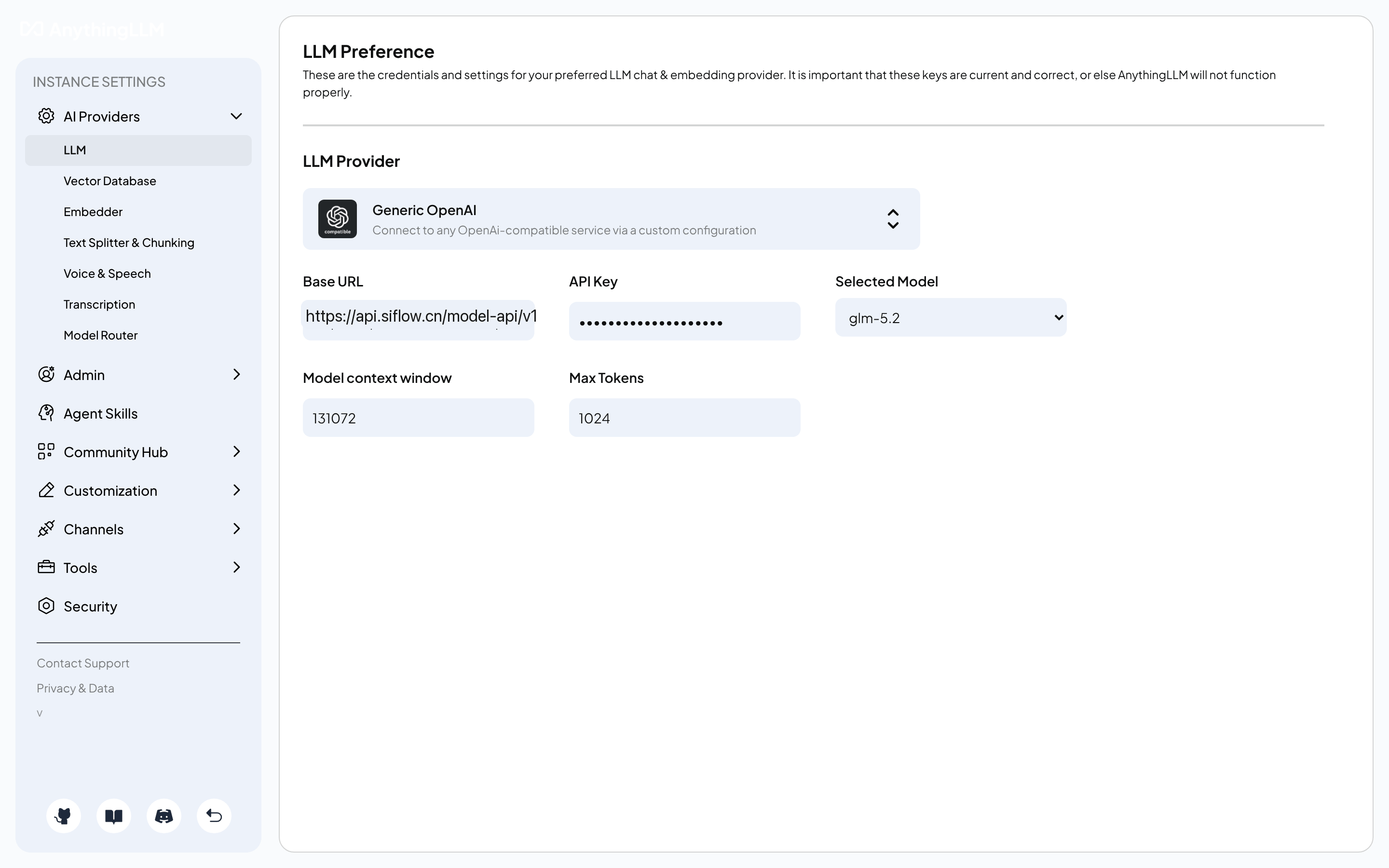
在 onboarding 过程中,或稍后进入 **Settings → AI Providers → LLM**,选择 **Generic OpenAI** 作为 LLM provider,并填写所需字段。
| 参数 | 示例 |
| -------------------- | ------------------------------------------------------------------------------ |
| Base URL | `https://api.siflow.cn/model-api/v1` |
| API Key | 您在 [API 密钥](https://console.siflow.cn/model-inference/api_keys) 页面创建的 API Key。 |
| Selected Model | `glm-5.2` |
| Model context window | `131072` |
配置 workspace chat mode 时请注意:
* 当 workspace chat mode 保持默认值,并且模型原生支持 tool calling 时,AnythingLLM 会进入 agent flow。
* 如需普通对话,请将 workspace chat mode 设置为 **chat**;如需 agent 和 tool use,可以保持默认。
* 如果依赖 agents 或 document-tool 功能,请选择原生支持 tool calling 的模型。`glm-5.2` 支持 tool calling。
 ### 2. 为自托管部署配置 `server/.env`
对于 self-hosted 部署,无论是 bare-metal 还是 Docker,都可以在 `server/.env` 中设置相同的值:
```bash theme={null}
LLM_PROVIDER="generic-openai"
GENERIC_OPEN_AI_BASE_PATH="https://api.siflow.cn/model-api/v1"
GENERIC_OPEN_AI_MODEL_PREF="glm-5.2"
GENERIC_OPEN_AI_MODEL_TOKEN_LIMIT=131072
GENERIC_OPEN_AI_API_KEY=""
```
请使用包含 `/v1` 的 `https://api.siflow.cn/model-api/v1`。AnythingLLM 的 Generic OpenAI provider 会将该 base path 传给 OpenAI SDK,由 SDK 追加 `/chat/completions`。
## 验证
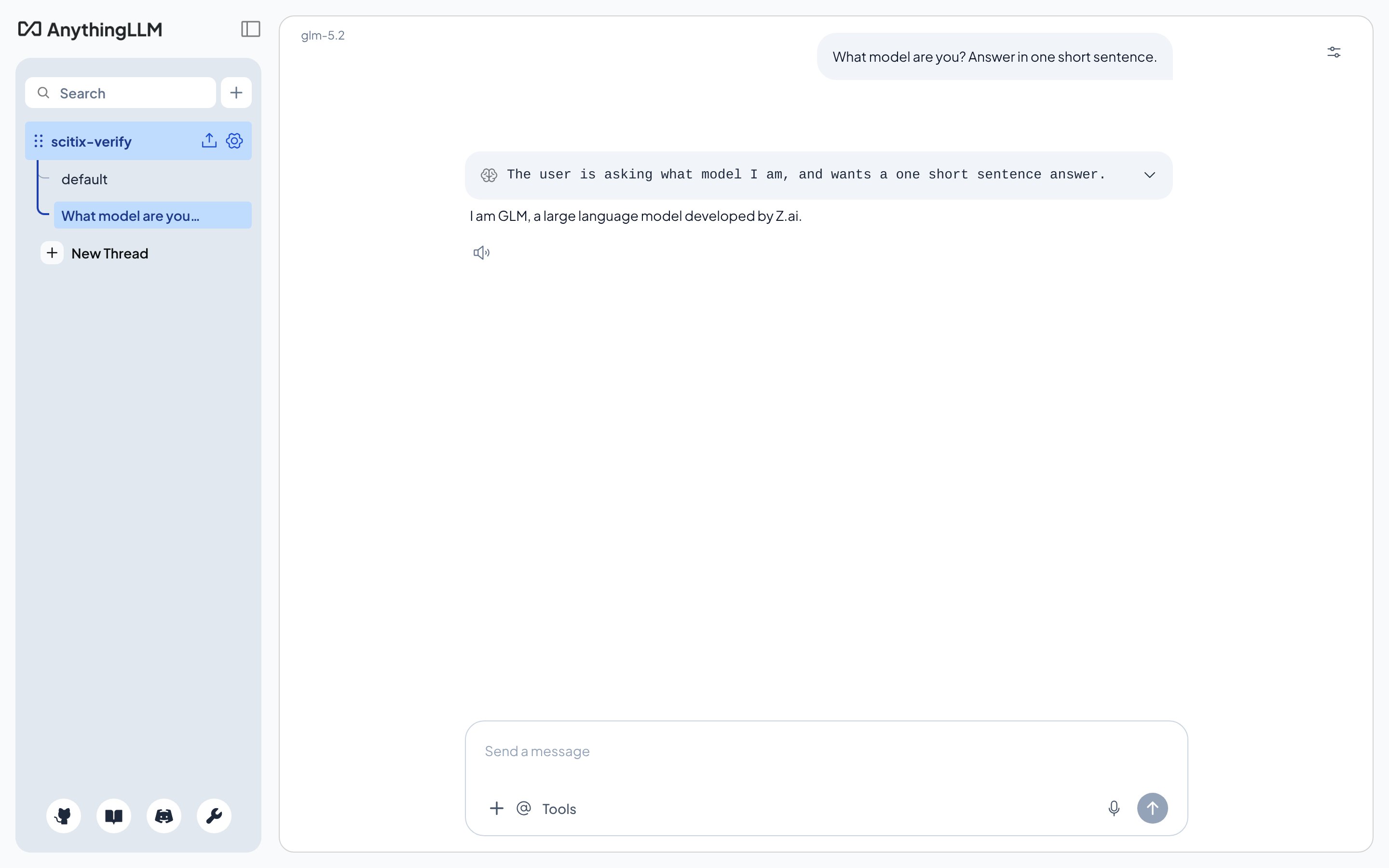
创建一个 workspace,确认顶部显示的模型是算秩模型,然后发送消息。如果正常回复,即表示连接成功。
### 2. 为自托管部署配置 `server/.env`
对于 self-hosted 部署,无论是 bare-metal 还是 Docker,都可以在 `server/.env` 中设置相同的值:
```bash theme={null}
LLM_PROVIDER="generic-openai"
GENERIC_OPEN_AI_BASE_PATH="https://api.siflow.cn/model-api/v1"
GENERIC_OPEN_AI_MODEL_PREF="glm-5.2"
GENERIC_OPEN_AI_MODEL_TOKEN_LIMIT=131072
GENERIC_OPEN_AI_API_KEY=""
```
请使用包含 `/v1` 的 `https://api.siflow.cn/model-api/v1`。AnythingLLM 的 Generic OpenAI provider 会将该 base path 传给 OpenAI SDK,由 SDK 追加 `/chat/completions`。
## 验证
创建一个 workspace,确认顶部显示的模型是算秩模型,然后发送消息。如果正常回复,即表示连接成功。