> ## Documentation Index
> Fetch the complete documentation index at: https://docs.siflow.cn/llms.txt
> Use this file to discover all available pages before exploring further.
# FastGPT
> 了解如何在 FastGPT 中注册 OpenAI-compatible 模型,接入 siflow endpoint,并用于 chat、workflow 应用和 dataset RAG indexing。
[FastGPT](https://github.com/labring/FastGPT) 是一个开源知识库和 AI workflow 平台。它可以注册 OpenAI-compatible 模型,因此可通过 siflow endpoint 支持 chat/workflow apps 和 dataset(RAG)indexing。
请按照 [官方指南](https://doc.fastgpt.io) 使用 Docker Compose 部署 FastGPT,然后使用初始 `root` 账号登录。
支持的 chat models 包括 `glm-5.2` 和 `DeepSeek-V4-Flash`。本文中的 embedding model 为 `Qwen/Qwen3-Embedding-8B`。完整模型列表和价格请参考 [模型广场](https://console.siflow.cn/model-inference/models)。
## 配置
在 [API 密钥](https://console.siflow.cn/model-inference/api_keys) 页面创建 API Key,然后打开 **Account → Model Providers**(账号 → 模型提供商)。
### 1. 配置 chat model
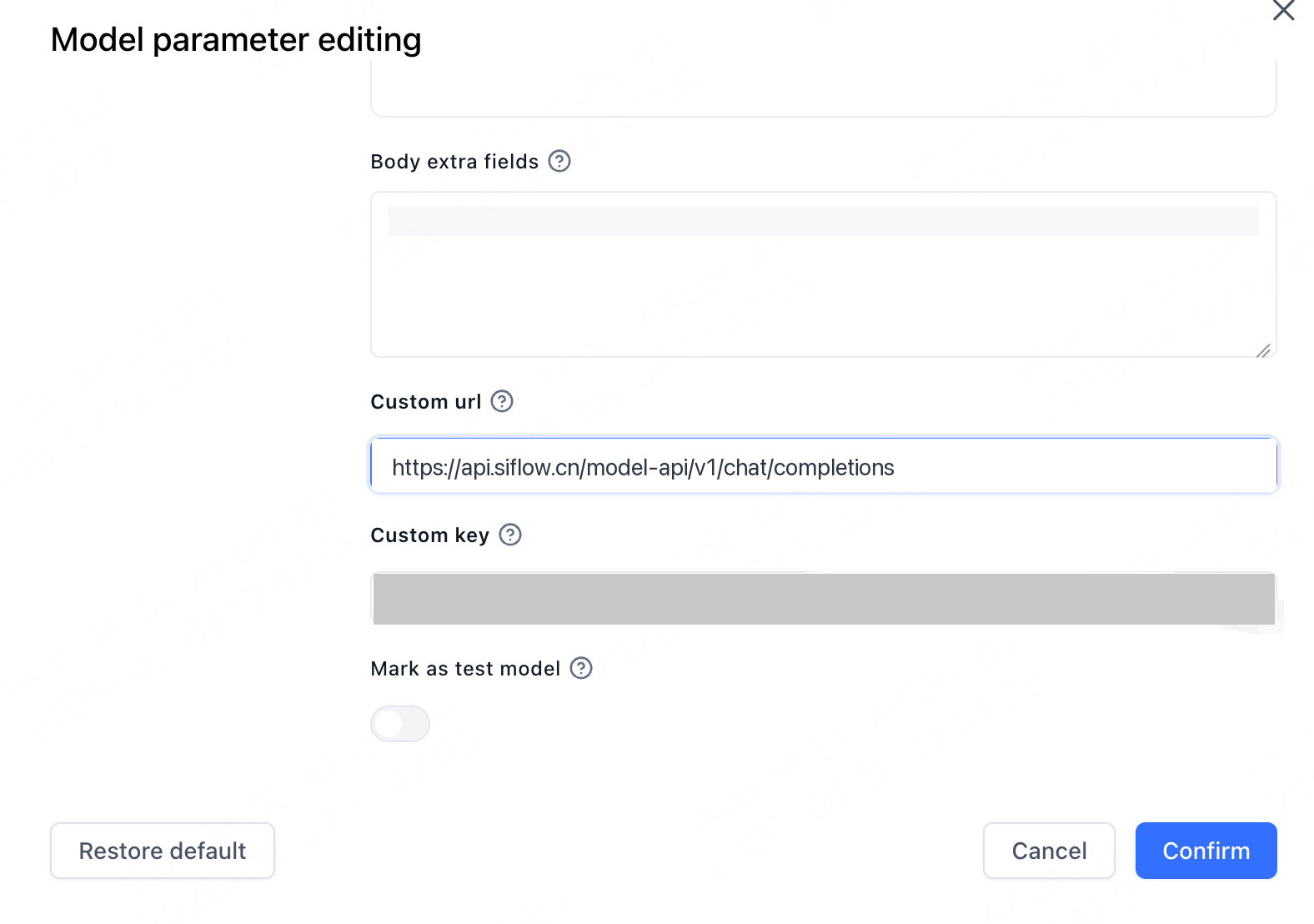
添加或编辑一个模型。在 **Model parameter editing** 中设置:
| 参数 | 示例 |
| ---------- | ------------------------------------------------------------------------------ |
| Custom url | `https://api.siflow.cn/model-api/v1/chat/completions` |
| Custom key | 您在 [API 密钥](https://console.siflow.cn/model-inference/api_keys) 页面创建的 API Key。 |
Custom url 是完整 endpoint。Chat 使用 `https://api.siflow.cn/model-api/v1/chat/completions`,embeddings 使用 `.../v1/embeddings`。设置 per-model Custom url 后,FastGPT 会原样调用该地址,不会追加路径。
### 2. 配置 embedding model
如果使用 datasets,请将 `Qwen/Qwen3-Embedding-8B` 添加为 **Embedding** 模型。它的 **Custom url** 以 `/v1/embeddings` 结尾。
| Model type | Model |
| ---------- | ------------------------- |
| LLM | `glm-5.2` |
| Embedding | `Qwen/Qwen3-Embedding-8B` |
 * Model type 很重要。请将 `glm-5.2` 添加为 **LLM**,将 `Qwen/Qwen3-Embedding-8B` 添加为 embedding/index model。Datasets 需要 embedding model。
* Model IDs 必须与算秩完全一致,包括 embedding model 的 `Qwen/` 前缀。
* 如果使用 workflow tool nodes 或 agents,请选择原生支持 tool calling 的 chat model。
## 验证
在 Studio 中创建一个简单 app,选择 `glm-5.2`,并在 **Chat Preview** 中发送消息。如果正常回复,即表示连接成功。
* Model type 很重要。请将 `glm-5.2` 添加为 **LLM**,将 `Qwen/Qwen3-Embedding-8B` 添加为 embedding/index model。Datasets 需要 embedding model。
* Model IDs 必须与算秩完全一致,包括 embedding model 的 `Qwen/` 前缀。
* 如果使用 workflow tool nodes 或 agents,请选择原生支持 tool calling 的 chat model。
## 验证
在 Studio 中创建一个简单 app,选择 `glm-5.2`,并在 **Chat Preview** 中发送消息。如果正常回复,即表示连接成功。
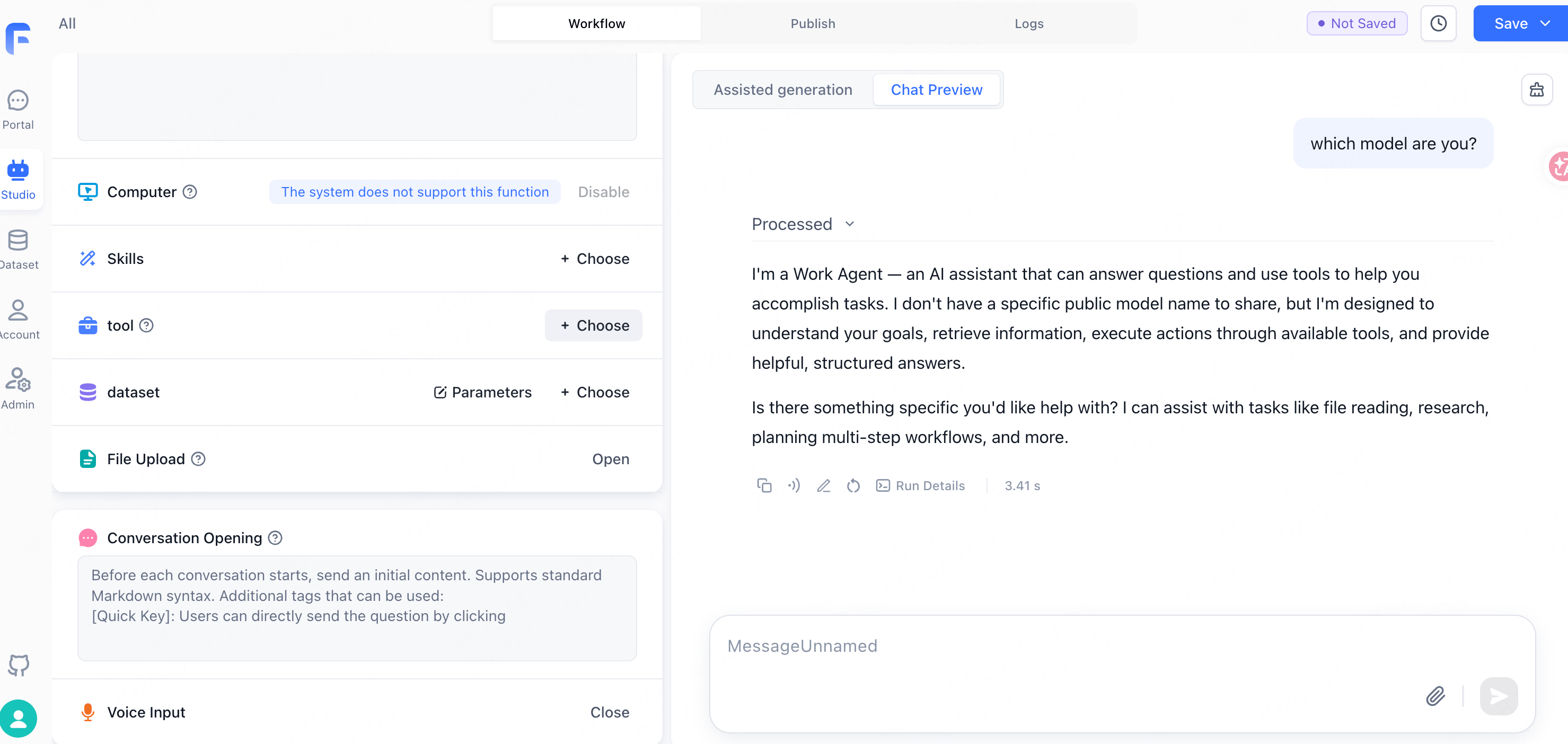 Assistant 可能会自称为 "a Work Agent" 等通用名称,而不是具体模型 ID。这是 FastGPT 的 system prompt,不是路由问题。