> ## Documentation Index
> Fetch the complete documentation index at: https://docs.siflow.cn/llms.txt
> Use this file to discover all available pages before exploring further.
# RAGFlow
> 了解如何在 RAGFlow 中配置 OpenAI-API-Compatible provider,接入 siflow endpoint,并将 chat 和 embedding models 指向算秩模型。
[RAGFlow](https://github.com/infiniflow/ragflow) 是一个基于 deep document understanding 的开源 RAG engine。您可以基于文档构建知识库,并在其上进行对话。它的 **OpenAI-API-Compatible** provider 可以将 chat 和 embedding models 都指向 siflow endpoint。
请按照 [官方指南](https://ragflow.io/docs/dev/) 使用 Docker Compose 部署 RAGFlow,然后打开 Web UI。默认地址是 `http://localhost`。
支持的 chat models 包括 `glm-5.2` 和 `DeepSeek-V4-Flash`。本文中的 embedding model 为 `Qwen/Qwen3-Embedding-8B`。请参考 [模型广场](https://console.siflow.cn/model-inference/models)。
## 配置
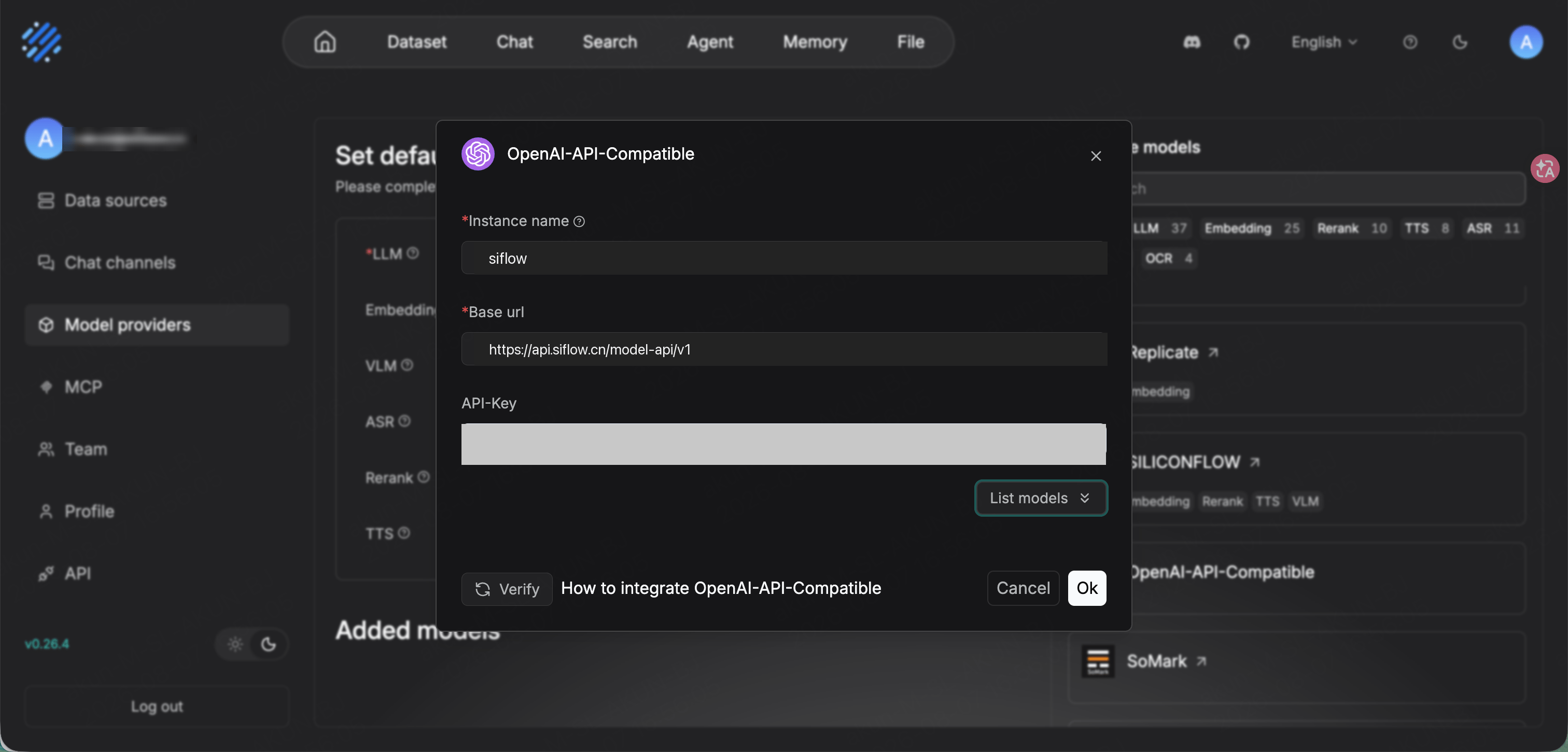
在 [API 密钥](https://console.siflow.cn/model-inference/api_keys) 页面创建 API Key,然后从右上角头像菜单打开 **Model providers**。找到 **OpenAI-API-Compatible** 并添加。
| 参数 | 示例 |
| ------------- | ------------------------------------------------------------------------------ |
| Instance name | `siflow` |
| Base url | `https://api.siflow.cn/model-api/v1` |
| API-Key | 您在 [API 密钥](https://console.siflow.cn/model-inference/api_keys) 页面创建的 API Key。 |
**Base url** 需要包含 `/v1`。RAGFlow 的 OpenAI-API-Compatible provider 会追加 `/chat/completions` 和 `/embeddings`。
单击 **List models** 获取可用模型并确认连通性,然后单击 **Ok**。
添加需要的模型,并为每个模型选择正确的 **model type**。
| Model type | Model |
| ---------- | ------------------------- |
| chat | `glm-5.2` |
| embedding | `Qwen/Qwen3-Embedding-8B` |
RAGFlow 会将 chat 和 embedding 模型放在不同列表中。请将 `glm-5.2` 添加为 **chat**,将 `Qwen/Qwen3-Embedding-8B` 添加为 **embedding**。如果使用 agent 功能,请选择原生支持 tool calling 的 chat model。
 返回 **Model providers** 页面后,在 **Set default models** 下将 **LLM** 设置为 `glm-5.2`,将 **Embedding** 设置为 `Qwen/Qwen3-Embedding-8B`。
RAG 需要 embedding model。请将算秩 embedding model(例如 `Qwen/Qwen3-Embedding-8B`)设置为默认 embedding model,否则 dataset parsing 或 retrieval 无法工作。
## 验证
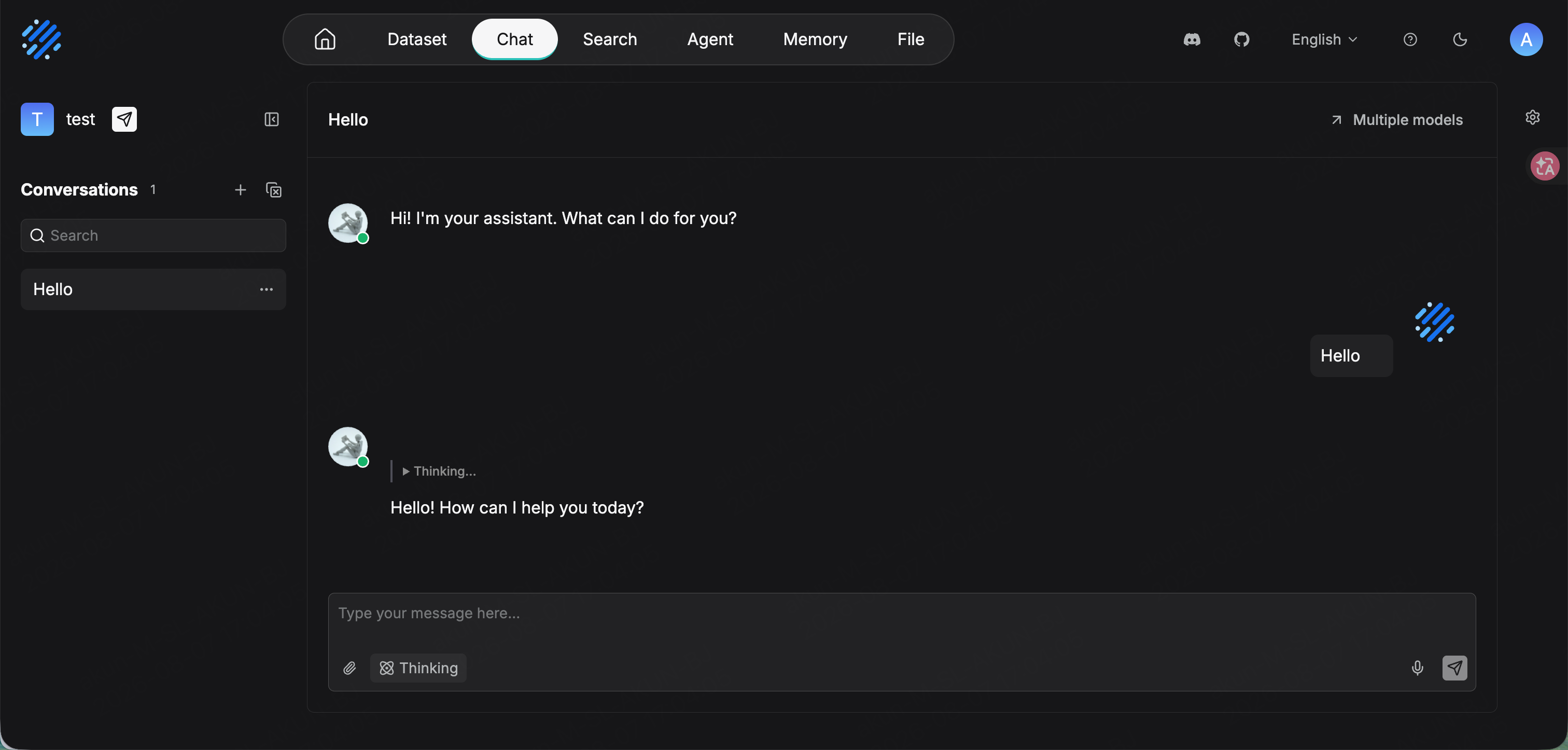
从 **Chat → Create an Assistant** 创建一个 chat assistant,或使用默认 assistant。确认模型为 `glm-5.2`,然后发送消息。如果正常回复,即表示连接成功。
对于 document RAG,请创建一个 **Dataset**,使用 `Qwen/Qwen3-Embedding-8B` 作为 embedding model,上传并解析文档,然后将 dataset 绑定到 chat assistant。
返回 **Model providers** 页面后,在 **Set default models** 下将 **LLM** 设置为 `glm-5.2`,将 **Embedding** 设置为 `Qwen/Qwen3-Embedding-8B`。
RAG 需要 embedding model。请将算秩 embedding model(例如 `Qwen/Qwen3-Embedding-8B`)设置为默认 embedding model,否则 dataset parsing 或 retrieval 无法工作。
## 验证
从 **Chat → Create an Assistant** 创建一个 chat assistant,或使用默认 assistant。确认模型为 `glm-5.2`,然后发送消息。如果正常回复,即表示连接成功。
对于 document RAG,请创建一个 **Dataset**,使用 `Qwen/Qwen3-Embedding-8B` 作为 embedding model,上传并解析文档,然后将 dataset 绑定到 chat assistant。