> ## Documentation Index
> Fetch the complete documentation index at: https://docs.siflow.cn/llms.txt
> Use this file to discover all available pages before exploring further.
# SiYuan
> 了解如何在 SiYuan 思源笔记中添加 OpenAI-compatible provider,接入 siflow endpoint,并使用 AI 写作和问答能力。
[SiYuan](https://github.com/siyuan-note/siyuan) 是一个 privacy-first 的个人知识管理系统,支持 block-level Markdown editing,并内置 AI writing 和 Q\&A。它的 AI settings 支持自定义 OpenAI-compatible endpoint,因此可以指向 siflow endpoint。
以下步骤基于 SiYuan 当前 AI settings;较新的版本可能略有差异。可用模型(例如 `glm-5.2`、`DeepSeek-V4-Flash`)和价格请参考 [模型广场](https://console.siflow.cn/model-inference/models)。
## 配置
请先在 [API 密钥](https://console.siflow.cn/model-inference/api_keys) 页面创建 API Key。
### 1. 添加 provider
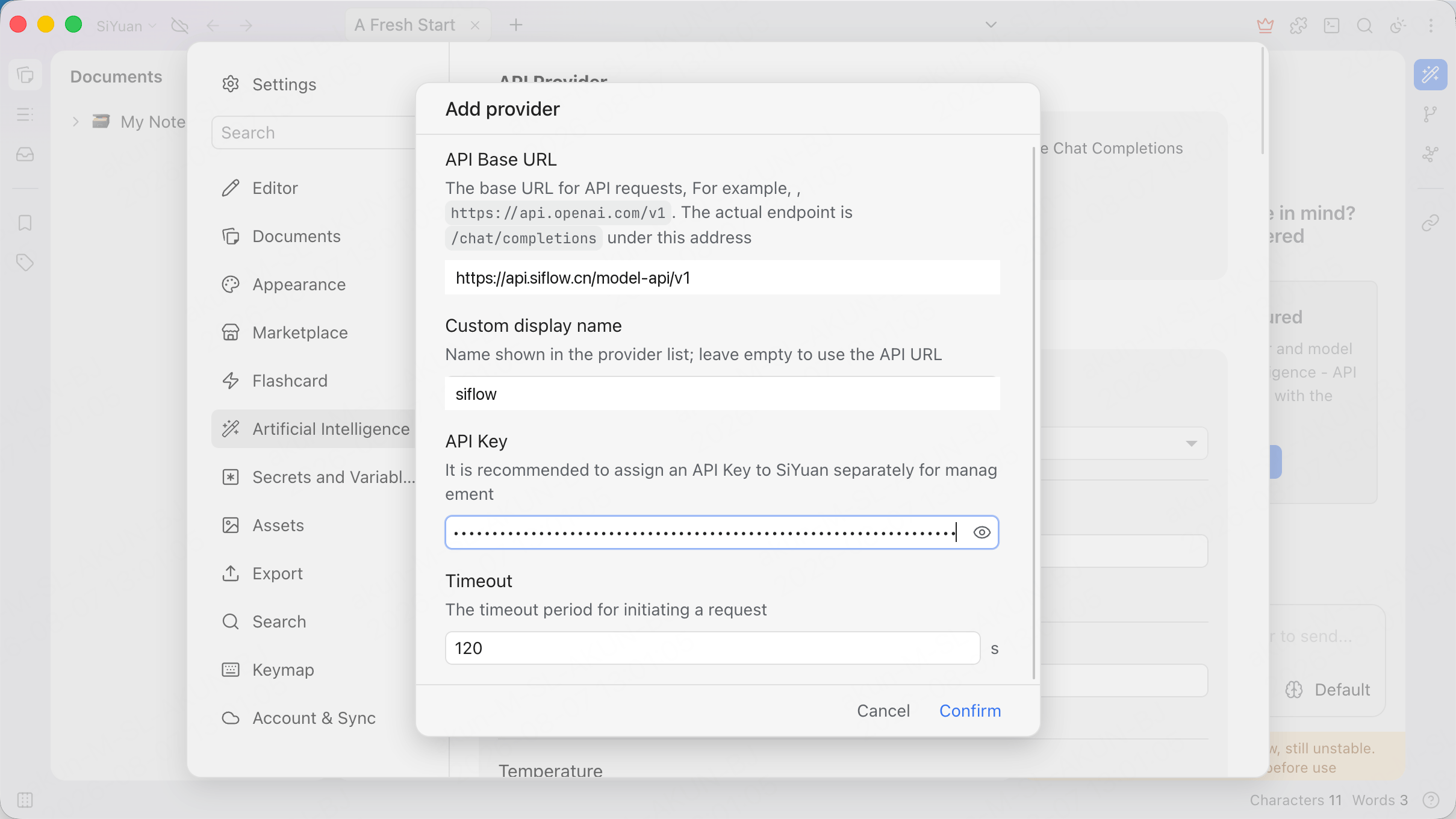
打开 **Settings → Artificial Intelligence**,通过 **Add provider** 弹窗添加 provider,并填写所需字段。
| 参数 | 示例 |
| ------------------- | ------------------------------------------------------------------------------ |
| API Base URL | `https://api.siflow.cn/model-api/v1` |
| Custom display name | `siflow`(可选) |
| API Key | 您在 [API 密钥](https://console.siflow.cn/model-inference/api_keys) 页面创建的 API Key。 |
弹窗提示实际 endpoint 是该地址下的 `/chat/completions`,因此 API Base URL 以 `/v1` 结尾。
 ### 2. 添加模型
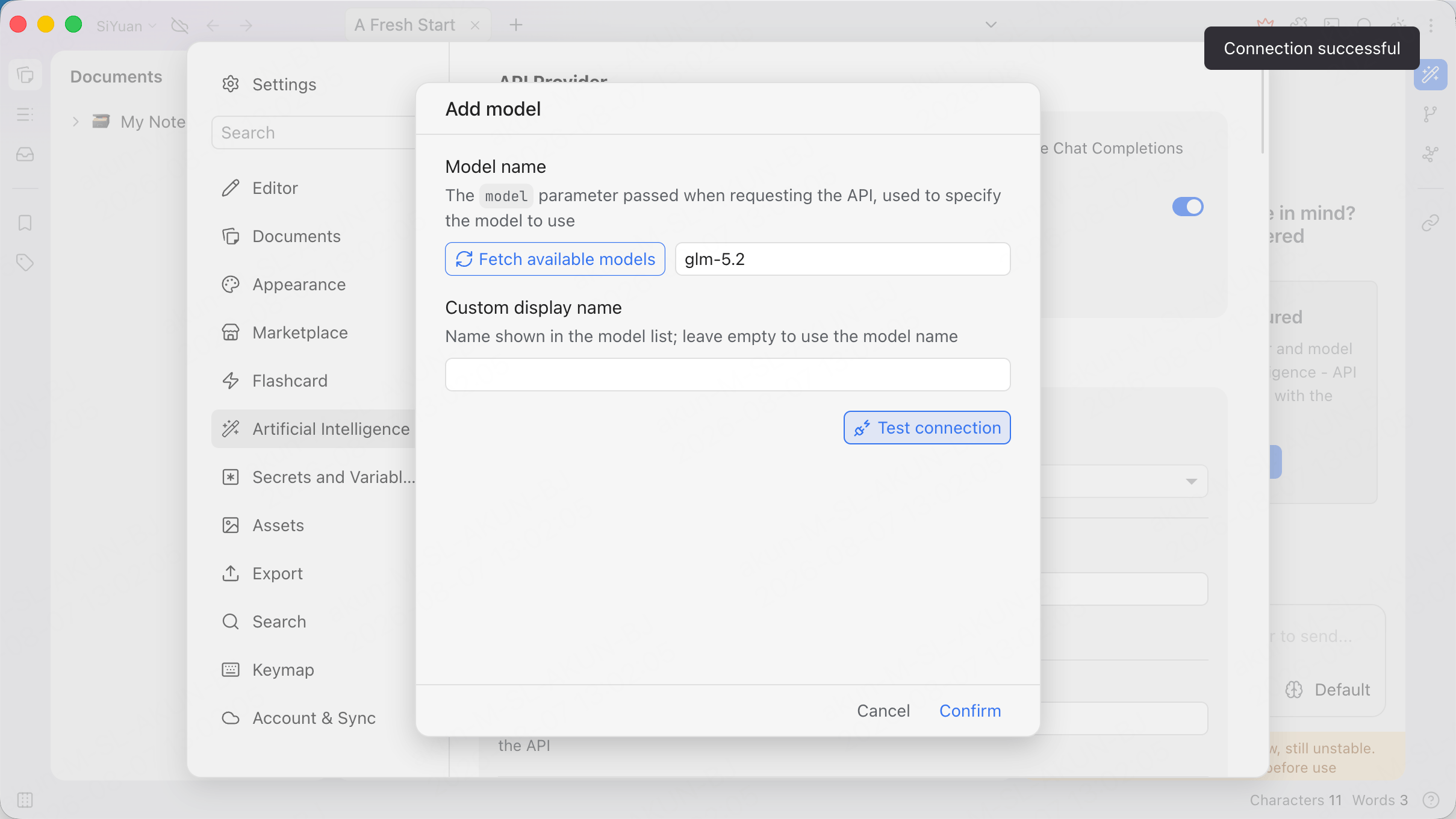
在算秩 provider 下通过 **Add model** 弹窗添加模型。将 **Model name** 设置为 `glm-5.2`,或单击 **Fetch available models**。
单击 **Test connection**。预期看到 **Connection successful**,然后确认。
### 2. 添加模型
在算秩 provider 下通过 **Add model** 弹窗添加模型。将 **Model name** 设置为 `glm-5.2`,或单击 **Fetch available models**。
单击 **Test connection**。预期看到 **Connection successful**,然后确认。
 ## 验证
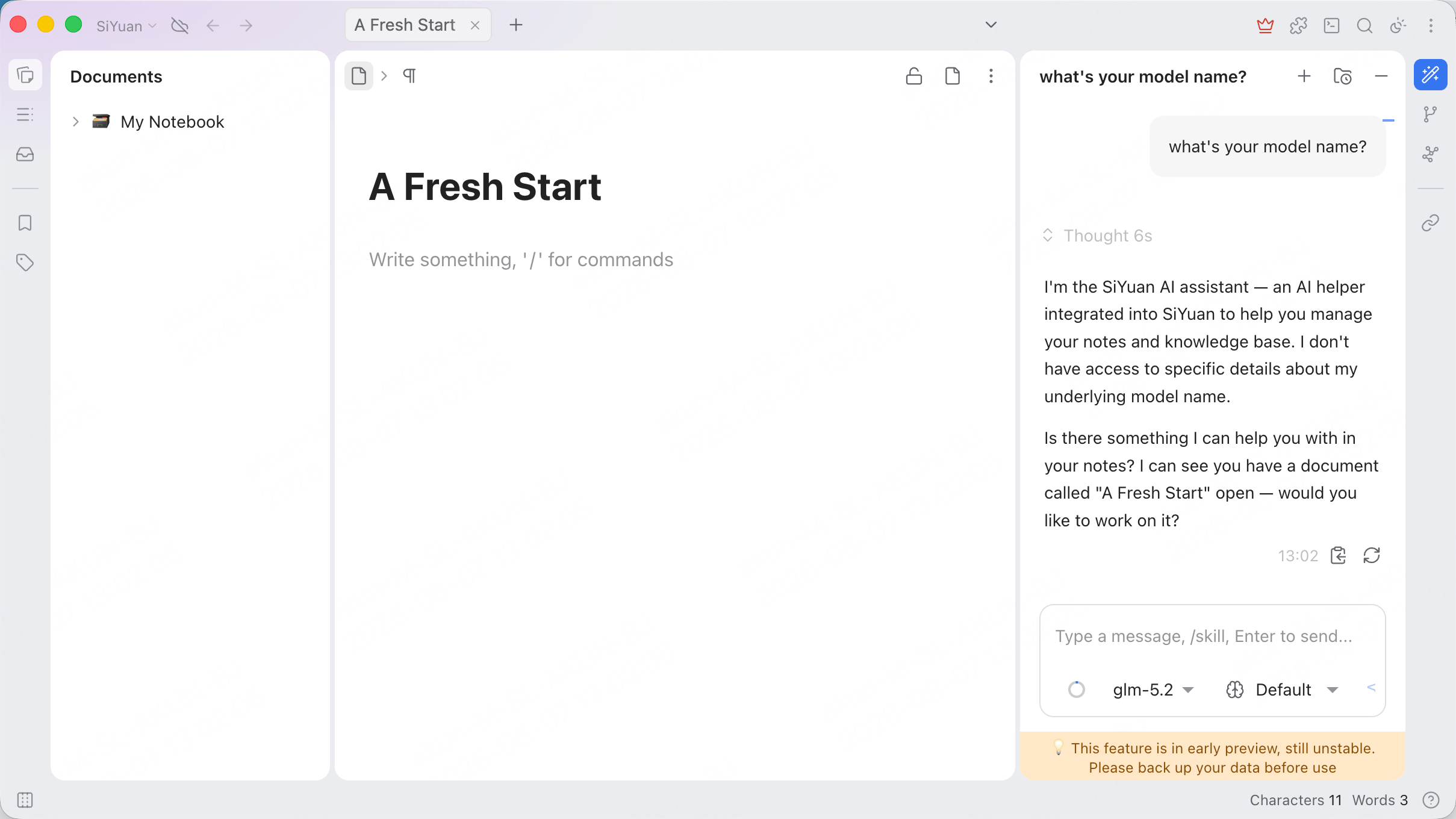
打开 AI chat panel,在底部模型选择器中选择 `glm-5.2`,然后发送消息。如果正常回复,即表示连接成功。
Assistant 可能会自称为 "the SiYuan AI assistant",而不是底层模型。这是 SiYuan 自身的 system prompt,不是路由问题;模型选择器仍会显示正在使用的算秩模型。
当前版本中 AI panel 标记为 early-preview feature。重度使用前请先备份数据。
## 验证
打开 AI chat panel,在底部模型选择器中选择 `glm-5.2`,然后发送消息。如果正常回复,即表示连接成功。
Assistant 可能会自称为 "the SiYuan AI assistant",而不是底层模型。这是 SiYuan 自身的 system prompt,不是路由问题;模型选择器仍会显示正在使用的算秩模型。
当前版本中 AI panel 标记为 early-preview feature。重度使用前请先备份数据。
 ## 常见问题
* **模型无响应**:请确认 API Base URL、API Key 和模型名称。模型必须可通过 OpenAI chat-completions protocol 使用,例如 `glm-5.2`。
## 常见问题
* **模型无响应**:请确认 API Base URL、API Key 和模型名称。模型必须可通过 OpenAI chat-completions protocol 使用,例如 `glm-5.2`。