> ## Documentation Index
> Fetch the complete documentation index at: https://docs.siflow.cn/llms.txt
> Use this file to discover all available pages before exploring further.

# 管理存储卷配额

## 1. 购买存储资源配额

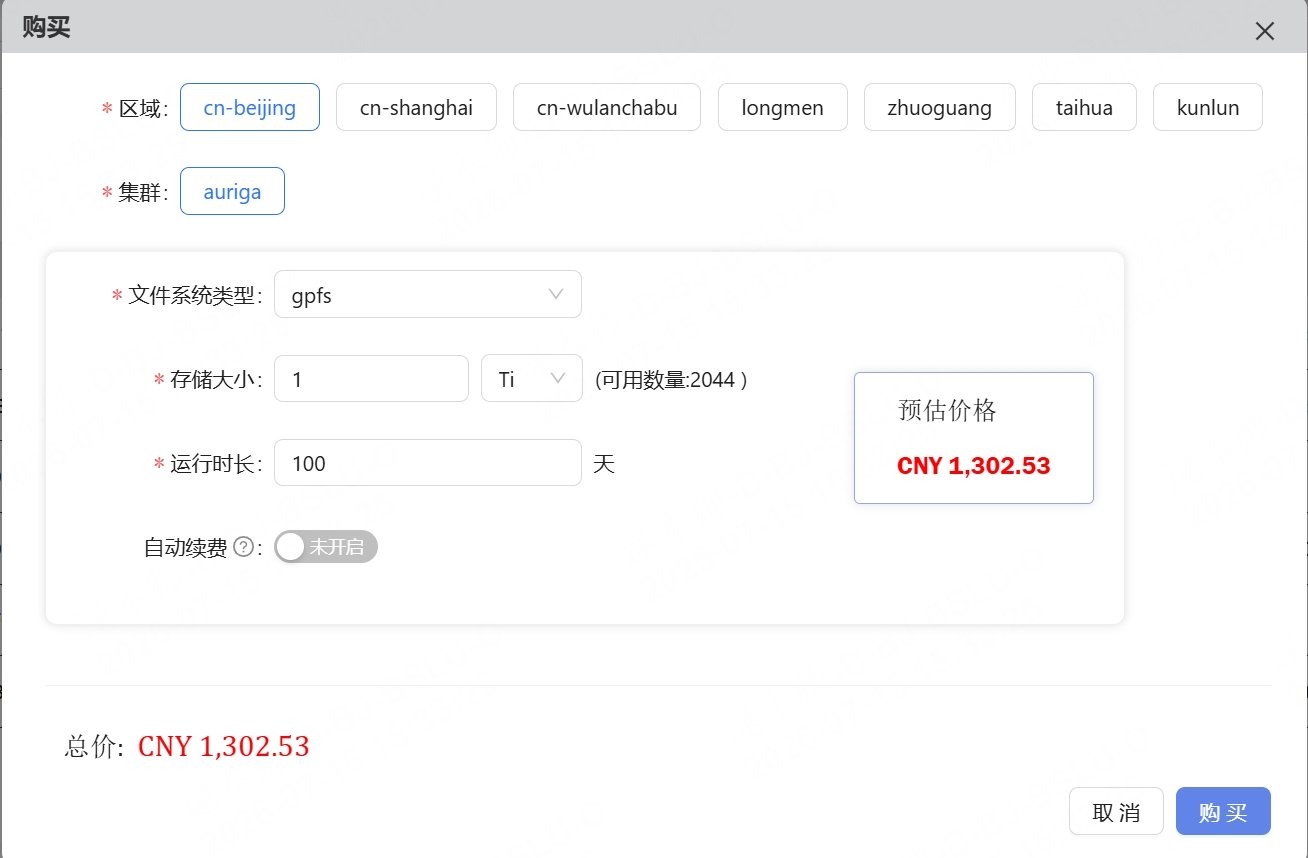
在使用 siflow 的开发工具和任务管理模块进行实际工作之前，请在 Resource-Volume 模块中购买存储资源。在 Volume-Available 页面，点击 Buy 按钮即可购买存储资源。当前最小购买单位为 1 Gi。存储资源的费用根据购买的大小和使用天数计算。
<img src="https://mintcdn.com/siflow/MD6YC9TIaGxx7fBG/siverse/get-started/media/volume1.jpeg?fit=max&auto=format&n=MD6YC9TIaGxx7fBG&q=85&s=934ce269d2f748ac1d1f26e82c94f667" alt="图片" width="3839" height="971" data-path="siverse/get-started/media/volume1.jpeg" />

<img src="https://mintcdn.com/siflow/MD6YC9TIaGxx7fBG/siverse/get-started/media/volume2.jpeg?fit=max&auto=format&n=MD6YC9TIaGxx7fBG&q=85&s=1cd9355db51b46df0026ed2b29828163" alt="图片" width="1308" height="858" data-path="siverse/get-started/media/volume2.jpeg" />

## 2. 存储资源订单列表

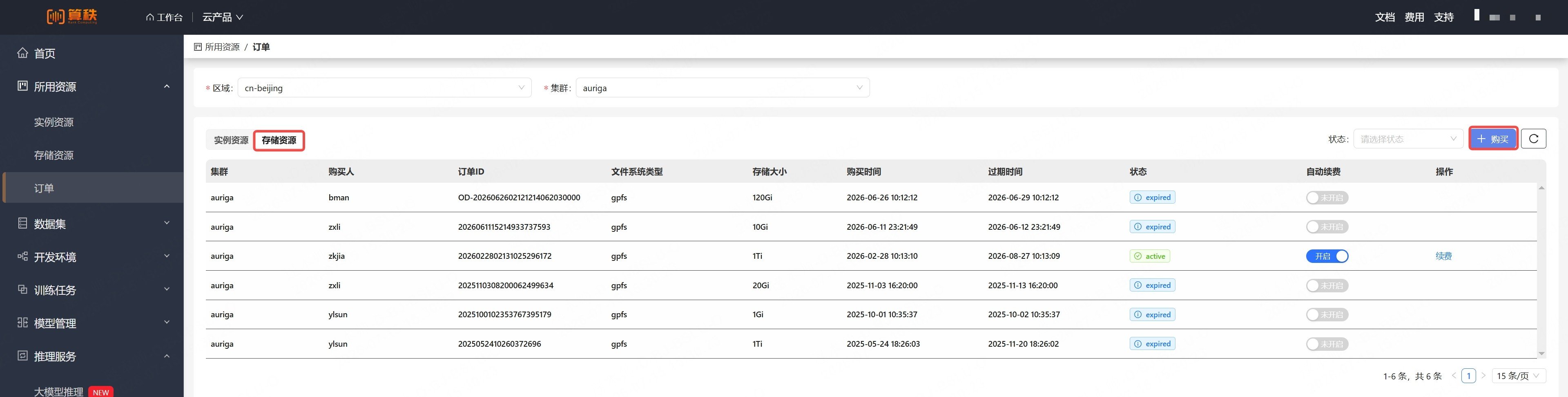
购买存储资源后，您可以在 Available 页面查看购买订单记录。在订单表格中，status 字段表示订单状态，共有三种可能的取值：

* active：购买成功
* expired：购买的存储资源已过期
* pending：订单需要人工确认。当订单处于 pending 状态时，请联系我们

  <img src="https://mintcdn.com/siflow/MD6YC9TIaGxx7fBG/siverse/get-started/media/volume3.jpeg?fit=max&auto=format&n=MD6YC9TIaGxx7fBG&q=85&s=530be90794b85c54c4602a7818fafa50" alt="图片" width="3253" height="134" data-path="siverse/get-started/media/volume3.jpeg" />

## 3. 存储资源配额

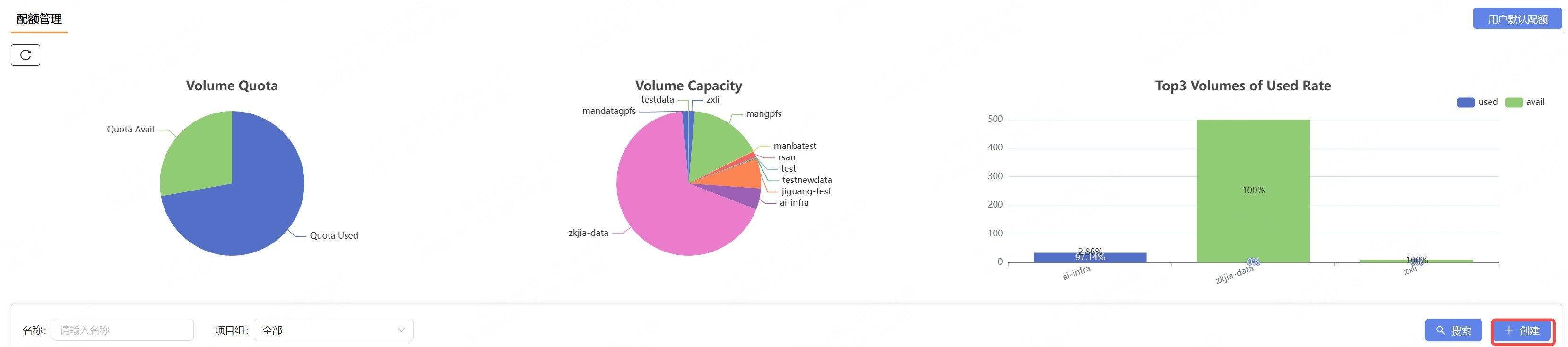
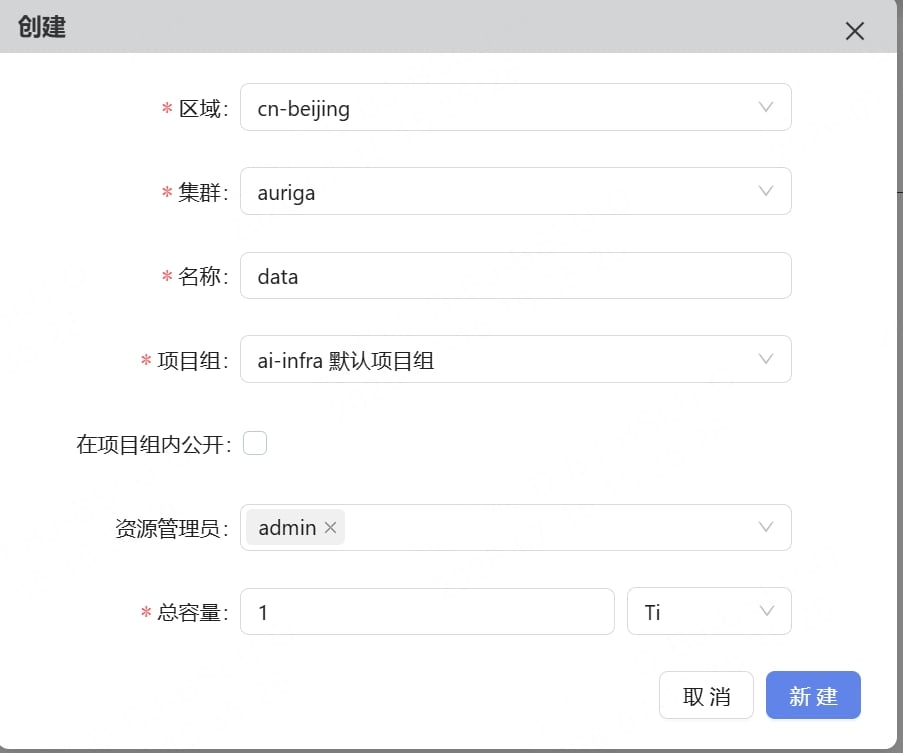
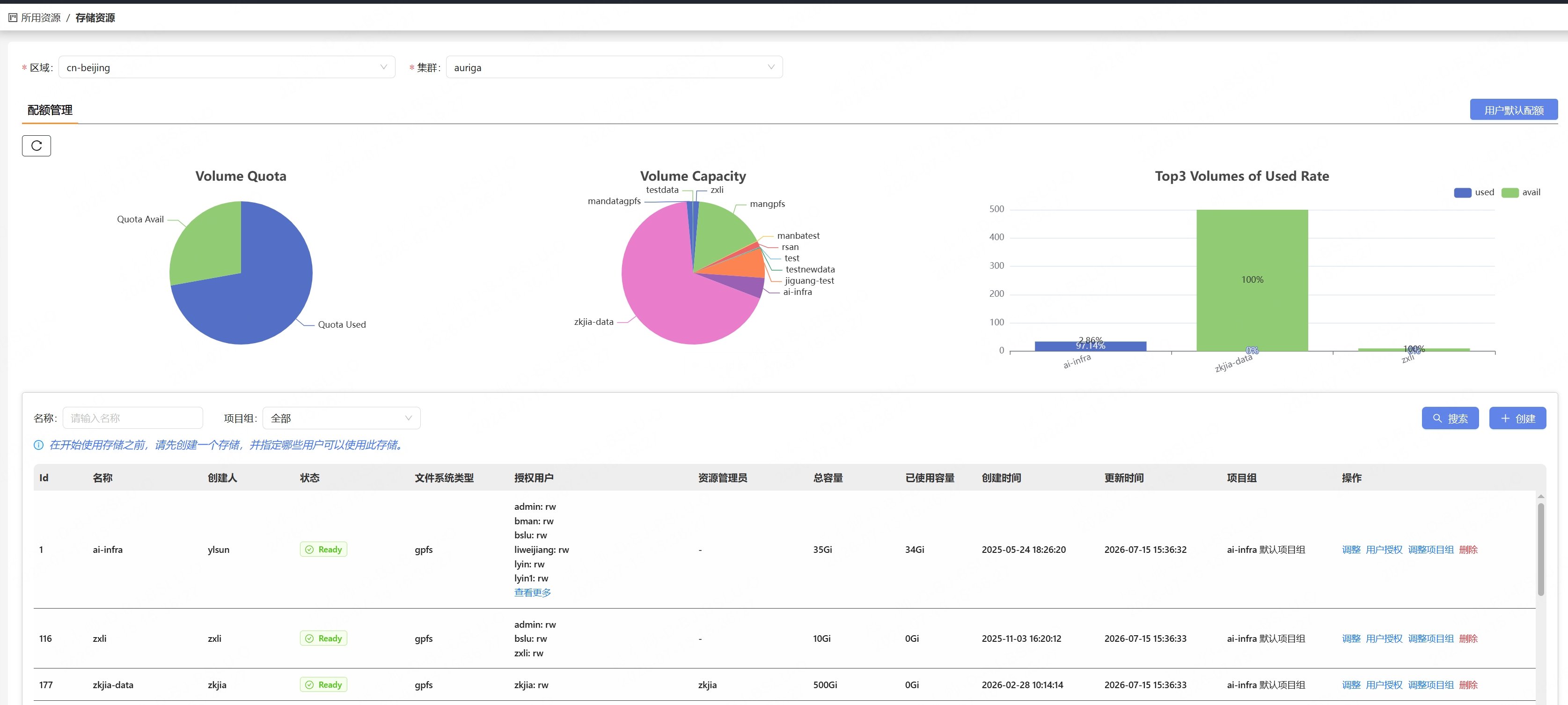
<span style={{color: 'red'}}>注意：在使用存储资源之前，请在 Volume-Quota 页面创建一个 Volume。</span>

<img src="https://mintcdn.com/siflow/MD6YC9TIaGxx7fBG/siverse/get-started/media/volume4.jpeg?fit=max&auto=format&n=MD6YC9TIaGxx7fBG&q=85&s=74abfb60cc99a2632ab17092e54b381f" alt="图片" width="3317" height="734" data-path="siverse/get-started/media/volume4.jpeg" />

<img src="https://mintcdn.com/siflow/MD6YC9TIaGxx7fBG/siverse/get-started/media/volume5.jpeg?fit=max&auto=format&n=MD6YC9TIaGxx7fBG&q=85&s=9de837951661621b6355345565122068" alt="图片" width="903" height="753" data-path="siverse/get-started/media/volume5.jpeg" />

<img src="https://mintcdn.com/siflow/MD6YC9TIaGxx7fBG/siverse/get-started/media/volume6.jpeg?fit=max&auto=format&n=MD6YC9TIaGxx7fBG&q=85&s=d356d9ab1df70980ae01e3f28d8e4133" alt="图片" width="3350" height="1506" data-path="siverse/get-started/media/volume6.jpeg" />