BasePath,因此可以让工作流接入 siflow endpoint。
本文默认模型为 glm-5.2;完整模型列表和价格请查看 模型广场。
请按照 官方指南 部署 Flowise,并打开 UI(默认 http://localhost:3000)。
配置
在 API 密钥 页面创建 API Key。在 Flowise 中打开 Credentials → Add Credential → OpenAI API,命名为siflow 等名称,并粘贴创建的 API Key。
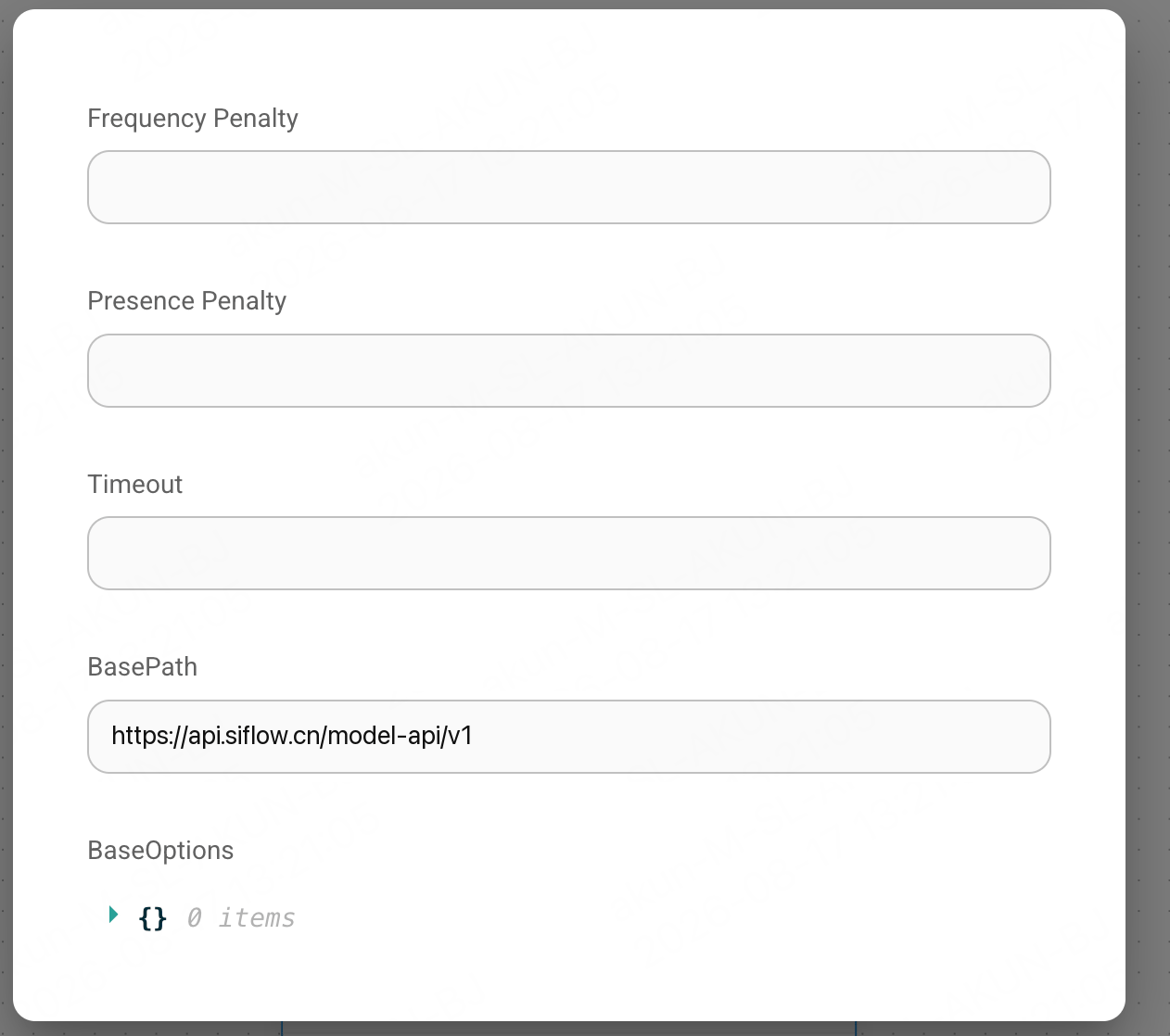
在 flow 中添加 ChatOpenAI Custom node,并设置以下字段:
请使用 ChatOpenAI Custom node,不要使用普通 ChatOpenAI。前者暴露
BasePath 字段,并且不会根据 OpenAI 自有模型列表校验模型名,因此可以使用 glm-5.2 这类模型 ID。
验证
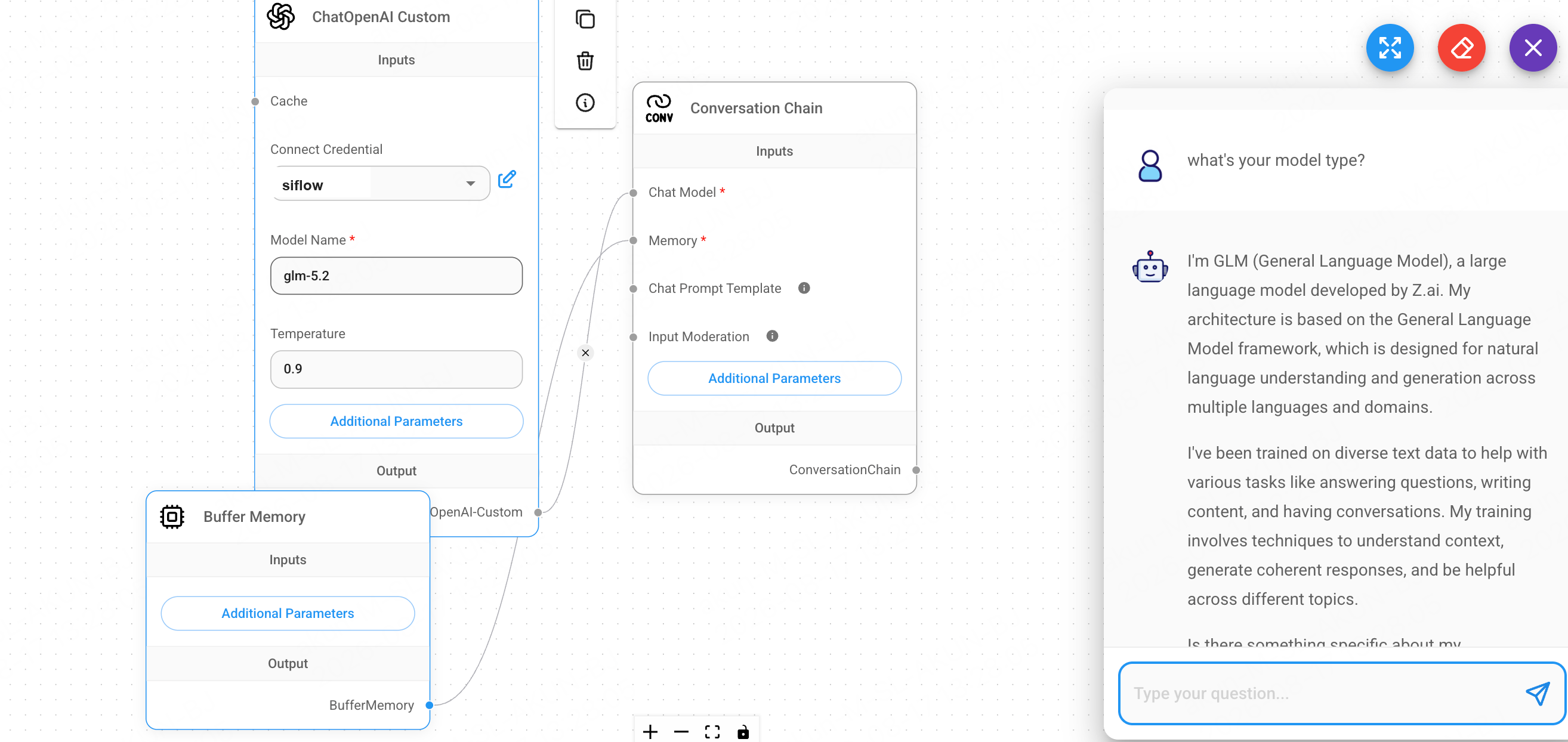
Chatflow 的 ending node must be a Chain / Agent / Engine,不能直接以 model node 作为结束节点。添加 Conversation Chain,将 ChatOpenAI Custom node 连接到它的 Chat Model input(Memory input 可添加 Buffer Memory),然后打开 chat 并发送消息。如果返回正常回复,即表示连接成功。