
glm-5.2。
1. 创建 credential
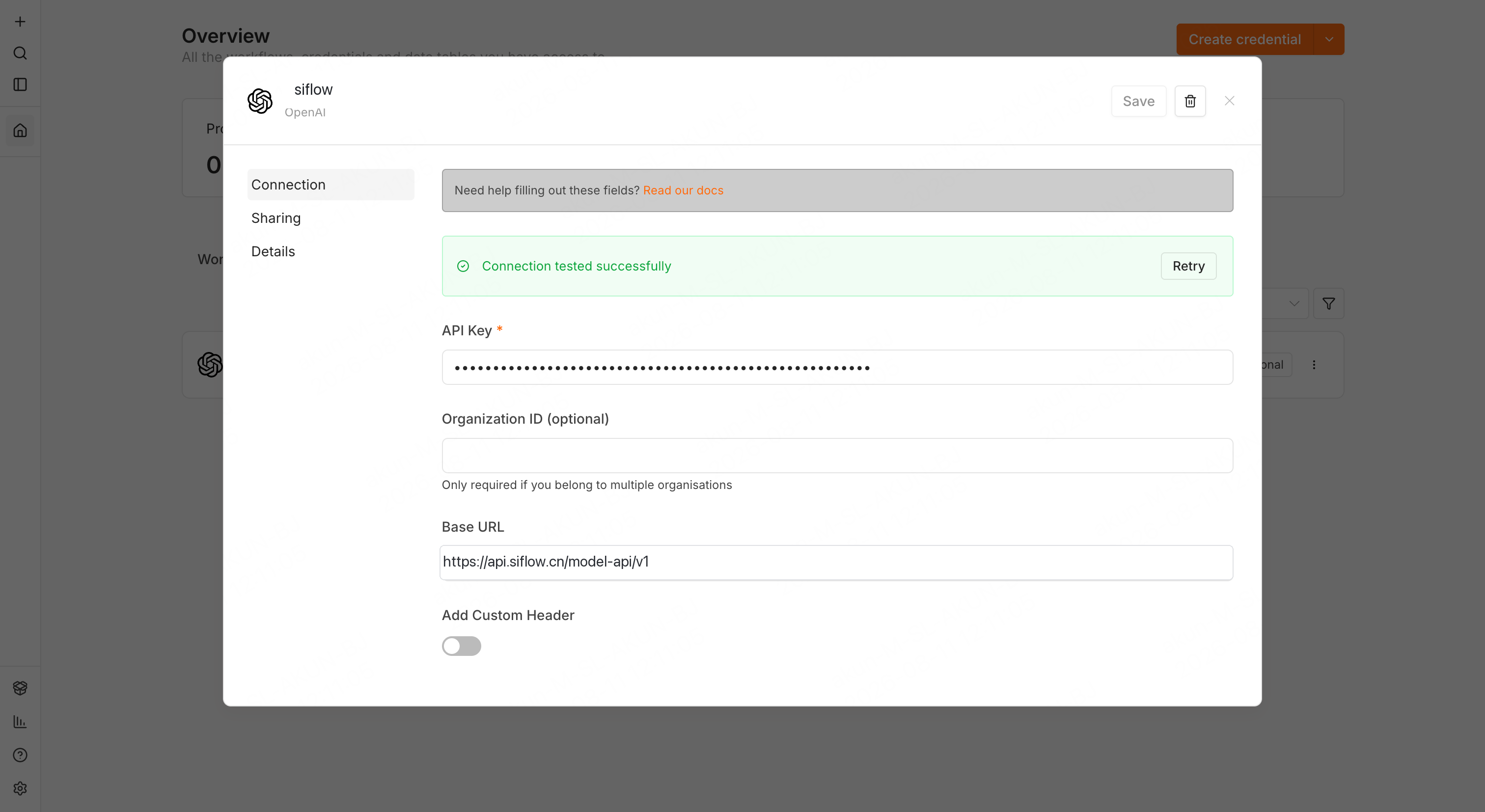
在 API 密钥 页面创建 API Key。然后在 n8n 中打开 Credentials 标签页,单击 Create credential,并在 app 选择器中选择 OpenAI。填写:
保存时,n8n 会使用 Base URL 调用
GET /models 测试 credential。出现 Connection tested successfully 表示 siflow endpoint 可访问且 key 有效。
2. 在 workflow 中使用
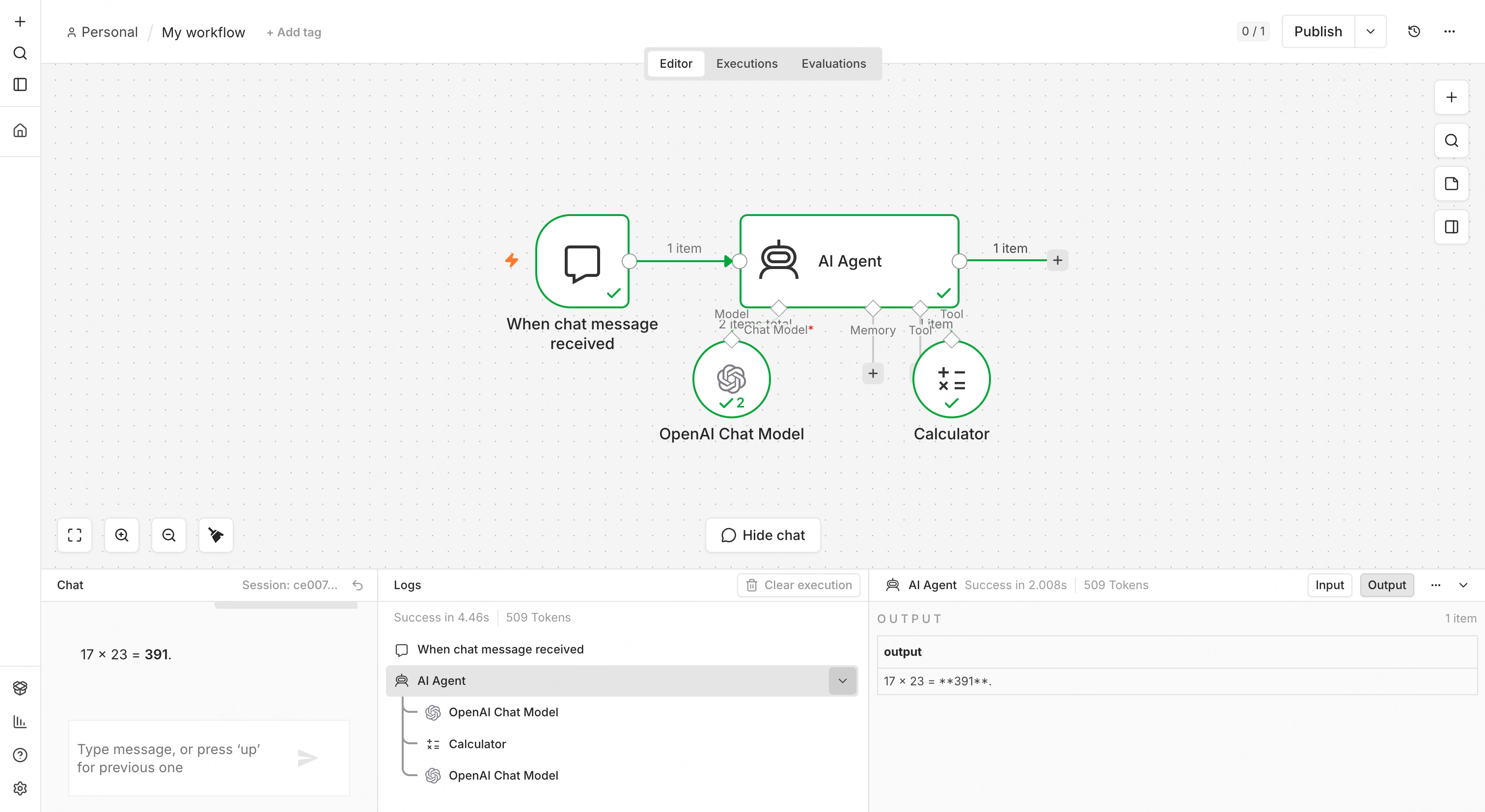
- 创建一个包含 Chat Trigger(“On chat message”)和 AI Agent node 的 workflow。
- 打开 AI Agent node,单击 + Chat Model,选择 OpenAI Chat Model。
- 在 OpenAI Chat Model node 中,选择 credential(在 n8n Cloud 中,需要先选择 My own credential)。Model 下拉菜单会从
/modelsendpoint 实时加载模型,选择glm-5.2。n8n 1.82.0 起,AI Agent node 作为 Tools Agent 运行,因此模型必须支持原生 tool calling;glm-5.2支持。切换模型前请查看平台的 tool-calling 模型列表。 - 关闭 Use Responses API。该 toggle 面向 OpenAI 自有 API。
- 至少连接一个 tool sub-node 到 AI Agent。这是文档要求,例如 Calculator tool。
验证
打开 chat panel,发送一条会触发工具的消息,例如 “what is 17 * 23?”。如果返回流式回复,并且 logs 中可以看到 tool call 和结果391,即表示连接和 tool calling 均正常。若只想测试普通 completion,可使用 Basic LLM Chain root node,并配置相同的 OpenAI Chat Model sub-node。
FAQ
- Model dropdown 为空:说明
GET /models调用失败。请重新检查 Base URL(需要/v1后缀,且不要带末尾斜杠)和 API Key。 - 快速测试建议使用哪个工具? 建议使用 Calculator tool。如果使用 Code tool,每个参数都必须单独启用 AI 填充(单击参数上的 ✨,否则会出现
No parameters are set up to be filled by AI),并且 Code node 运行在独立 task runner 上;如果未启用该 runner,会在 60s 后超时。Calculator 可以避开这两个问题。